Record first, refine later.
Screen, camera, voice and system audio — captured as independent tracks, no interference. Camera tucked in a corner or scaled up, how much of the frame it takes, how loud every track is: all adjustable after the recording.
macOS 14+ · Apple Silicon · English / 简体中文
From hitting record to a finished video — no second tool needed.
Display, window, region, or a connected iPhone/iPad. Screen, camera, microphone and system audio in one take — each on its own independent track.
Split, trim, rearrange, retime. Move the camera, resize the screen, rebalance each track's volume — all after recording. Toggle thumbnails and waveforms.
Auto zoom that follows your cursor, or manual keyframes. 3D tilt, perspective and focus blur, plus intro animations in one click.
Aspect ratio, crop, padding, rounded corners, shadows, backgrounds and device frames; stickers, softening and highlights.
Cursor styles, click feedback, auto-hide when idle and timing calibration — every move stays readable.
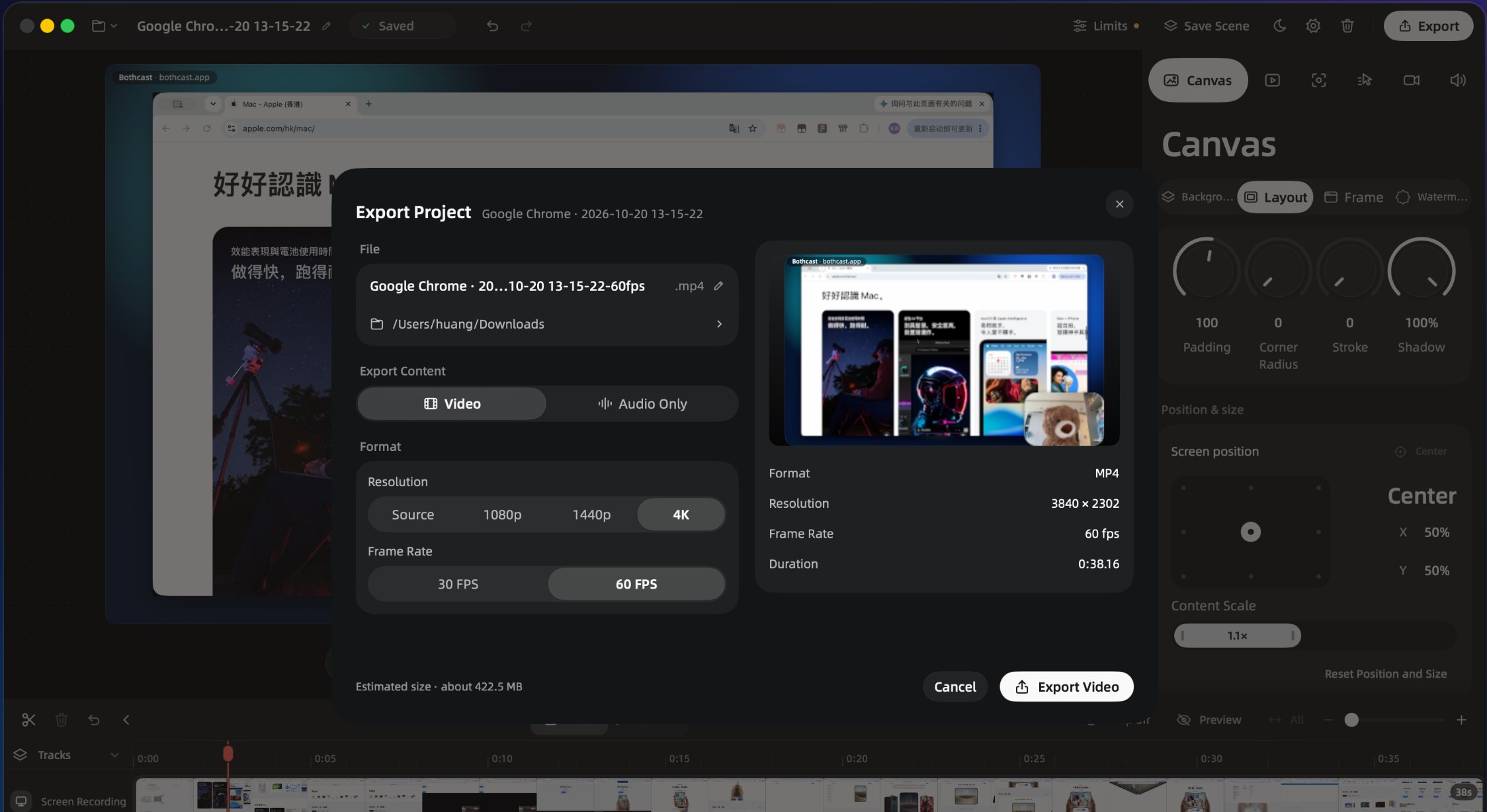
MP4 or M4A; source quality, 1080p, 1440p up to 4K; 30/60 FPS. Projects stay editable at any time.
Every step happens in the same window — no tool-hopping in between.
Window, region or full screen, plus camera, microphone and system audio — four tracks in one take, each independent. Hit the red button — that's all there is to it.

One-click MP4 export, from native size up to 4K, at 30 or 60 fps. Check the estimated size before exporting, and come back to edit anytime.
Recording, editing and exporting all happen on your machine. No account to create, no cloud upload, no third-party SDK keeping score.
The App Store privacy label reads Data Not Collected. The direct-download build contacts the license server only at activation (license key + device identifier) and for anonymous aggregate counts — never any recording content.
Every feature, on your own Mac — no account required.
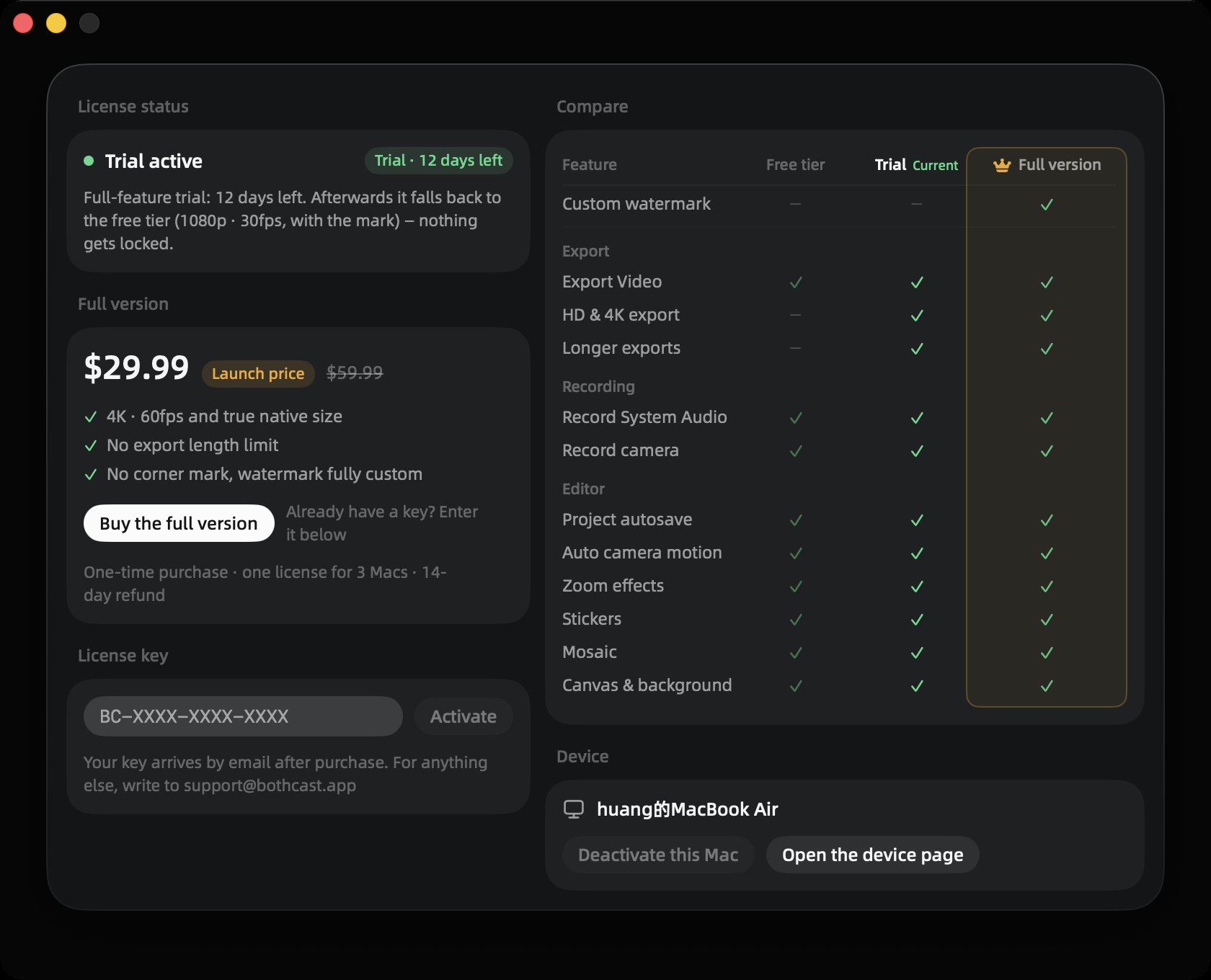
One payment · 14-day no-questions refund · or try it free for 14 days first
If your question isn't here, write to [email protected] — usually answered the same working day.
Yes, and more than two sources: screen, camera, microphone and system audio record together, each stored as its own track. Nothing has to be adjusted mid-take, and nothing needs re-recording because one input was missing.
Yes. The camera has its own track on the timeline: move it, scale it, reshape it, or hide it for part of the video — all after the take. The same goes for 3D zoom and rotation of the screen, and for each audio track's volume.
No. Recording, editing and exporting all happen locally — no account, no cloud sync. The Mac App Store edition makes no network requests at all; the direct-download edition connects only for license activation and anonymous aggregate counts. The App Store privacy label is Data Not Collected.
No. Bothcast captures system audio natively on macOS, so there is nothing extra to install. You can also capture audio from only the app you're recording, keeping notification sounds out of the take.
MP4 video or M4A audio, from source resolution up to 4K at 30 or 60fps, encoded as HEVC, H.264 or ProRes 422. The estimated file size appears before exporting, and projects stay editable.
No — one-time purchase. The free tier covers the whole record–edit–export flow; the full version removes the watermark and unlocks 4K plus exports longer than five minutes. One license activates on three Macs.
Two channels, one and the same build. Pick whichever you prefer.